




StereoTracer
Triaxes StereoTracer converts images to glasses-free 3D formats for 3D lenticular printing or holographic displays.
StereoTracer allows you to get a multi-angle series of frames from a single 2D photo, from 2D+Depth, or from a stereo pair of photos. The program automatically calculates a depth map.
A series of frames from StereoTracer can be printed as a lenticular 3D picture in 3DMasterKit, or saved as separate files (jpg, tif, psd), or video (mp4, gif, avi) . StereoTracer is able to generate 45-view images for viewing on Looking Glass 3D display, and 2D+Depth images for Philips/Dimenco AS3D displays.
| Input formats | Output formats |
| 2D regular photo | 2D+Depth creating a depth map using a neural network algorithm |
| 2D+Depth photo | N-view 3D for 3D lenticular printing and holographic displays |
| Stereo 3D photo | GIF, MP4 for a preview purpose |
Create a depth map for 2D photos
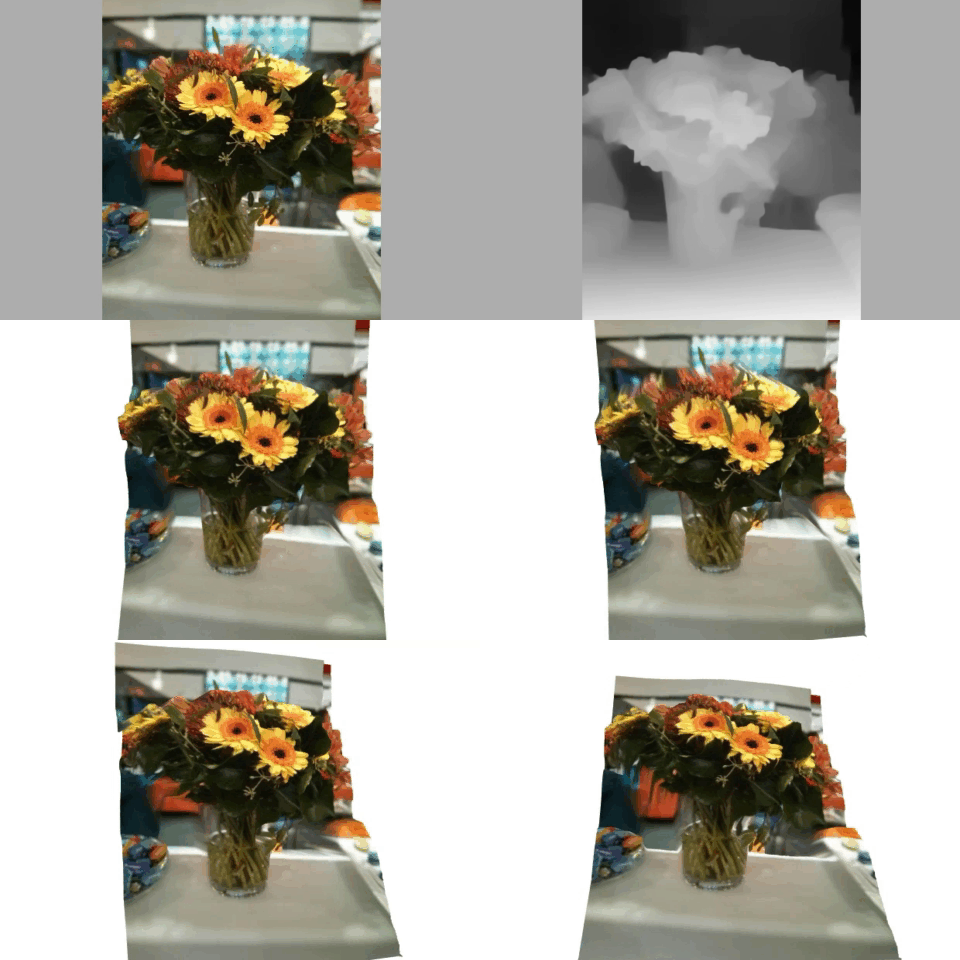
Use Triaxes StereoTracer for 2D to 3D conversion
Create 3D lenticular prints and holograms
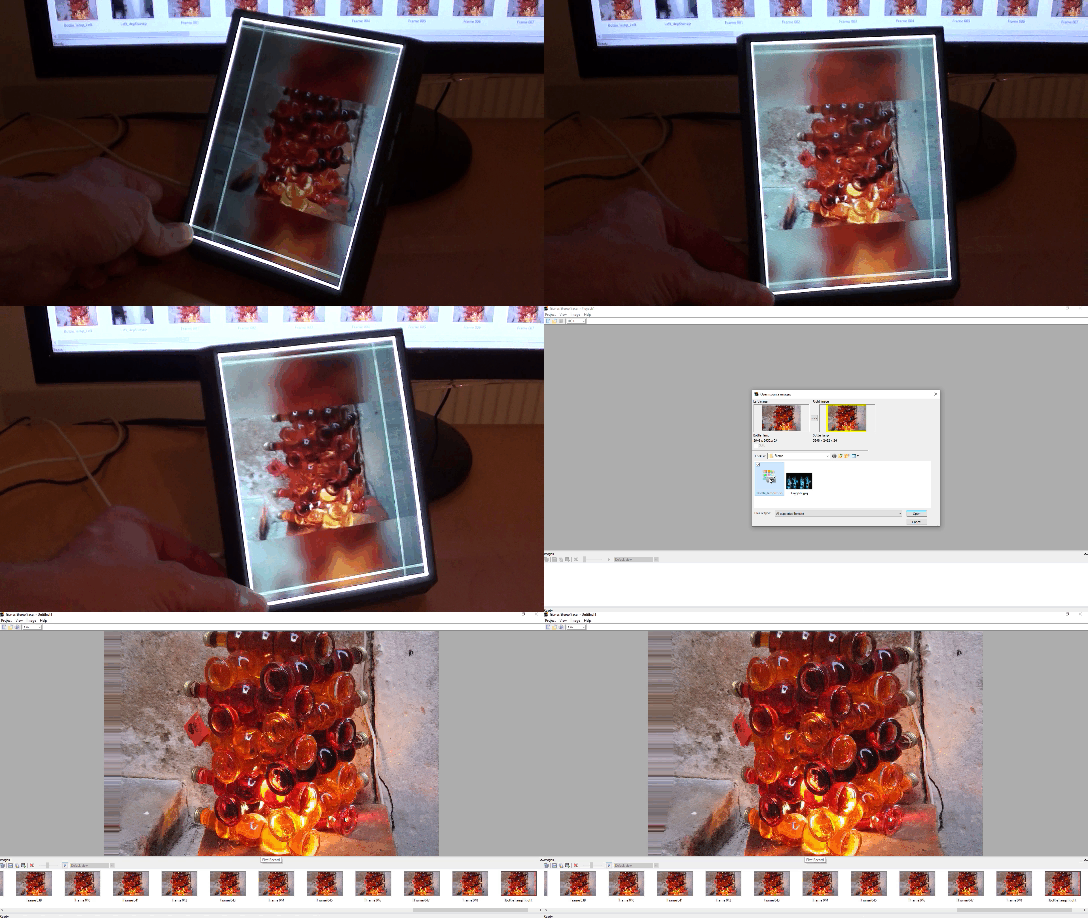
Use Triaxes StereoTracer to create holograms

(Kaliningrad. Photo by A. Urenkov. Depth map by Zaza Karanashvili)
Features and Benefits
– 2D photo and calculated depth map
– 2D picture and a user-drawn depth map
– a stereo pair and an automatically calculated depth map (for one of the frames)
– a stereo pair and two automatically calculated depth maps (for both frames of a stereo pair). This method provides the best “look behind” effect.
The program automatically converts stereo MPO files into multi-view stereo sequences for lenticular 3D photo printing.
Watch video how to convert stereo photo for Looking Glass Holographic Display
Read more on how it’s done.
This video shows how to make 3D photos with an Android smartphone, Google Camera app, StereoTracer and 3DMasterKit.
(The latest version of Google Camera only works on recent Nexus and Pixel devices on Android 7.1.1 and above.)


