
Happy Valentine’s Day Promotion

Everyone desires to present something special to the people they love.

Take advantage of the glasses-free 3D technology by Triaxes and discover at irresistible prices your opportunities to create pictures with realistic 3D and animation effects: flip, motion, morphing and zoom! On the entire Triaxes Products Line get 25% discount.

Offer ends February 19, 2012.

Create a special Valentine’s present and let everyone remember your presents for a long.

Happy Valentine’s Day! We love you!

Comments ( 0 )

Triaxes is happy to celebrate its Birthday with you!

It’s 8 years of continuous success track in 3D technologies development already.

Today company presents its products for:

  • 3D, flip, motion, morphing, zoom lenticular images encoding – Triaxes 3DMasterKit 6.0
  • N-view out of a single image or a stereo pair generation – Triaxes StereoTracer 5.1
    (6.0 is about to be released)
  • Special tool for stereo shooting parameters calculation – Triaxes StereoMeter 3.6 (Freeware)
  • Wide print lenticular image generator for printing directly on the lens – Triaxes Legend 1.0 (sign up for beta testing)

We really appreciate help and advices of 3D enthusiasts and our valuable clients. It gives us new ideas and makes our products better.

To thank you for your continuous support we are happy to grant 15% discount off Triaxes products up to 8 February.

Get your stunning 3D prints with Triaxes!

Comments ( 0 )

Create a wonderful 3D prints for your clients, friends and family!

Triaxes is proud to launch free festive Templates to inspire you by Christmas and New Year mood!

Please, follow the steps below to make your own 3D card out of common picture and template.

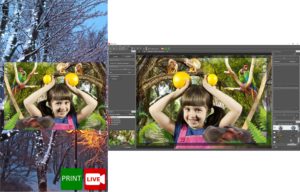
Step 1. Upload your Picture and Template to the software.

  • Launch 3DMasterKit
  • Add your Photo and Triaxes Template (multilayer .psd file) using command Layer>>Add…

Result: Your Picture and Template (usually layerd) is available for editing in Layers panel.

Step 2. Resize your Picture to fit the Template and move to appropriate level.

  • Select you Picture in Layers Panel
  • Select command Edit>>Transform>>Scale (Alt + S) and use mouse to adjust photo size to fit the Template

  • Move photo to the Level 0 or little bit lower (-20 .. -30). In this case other layers will appear above the photo. Please select photo in the layers list and move slider in the “depth” scale to the appropriate level.

In the same way you could adjust Depth Parameter for each layer.

For example, background could be shifted on (-100) depth result. All the other Layers will be situated above it. Your photo should be around 0 level of Depth scale. The frame and other Template objects should be situated in positive depth area (up to 100).


Step 3. Add the depth-map to the Photo. This step is optional.

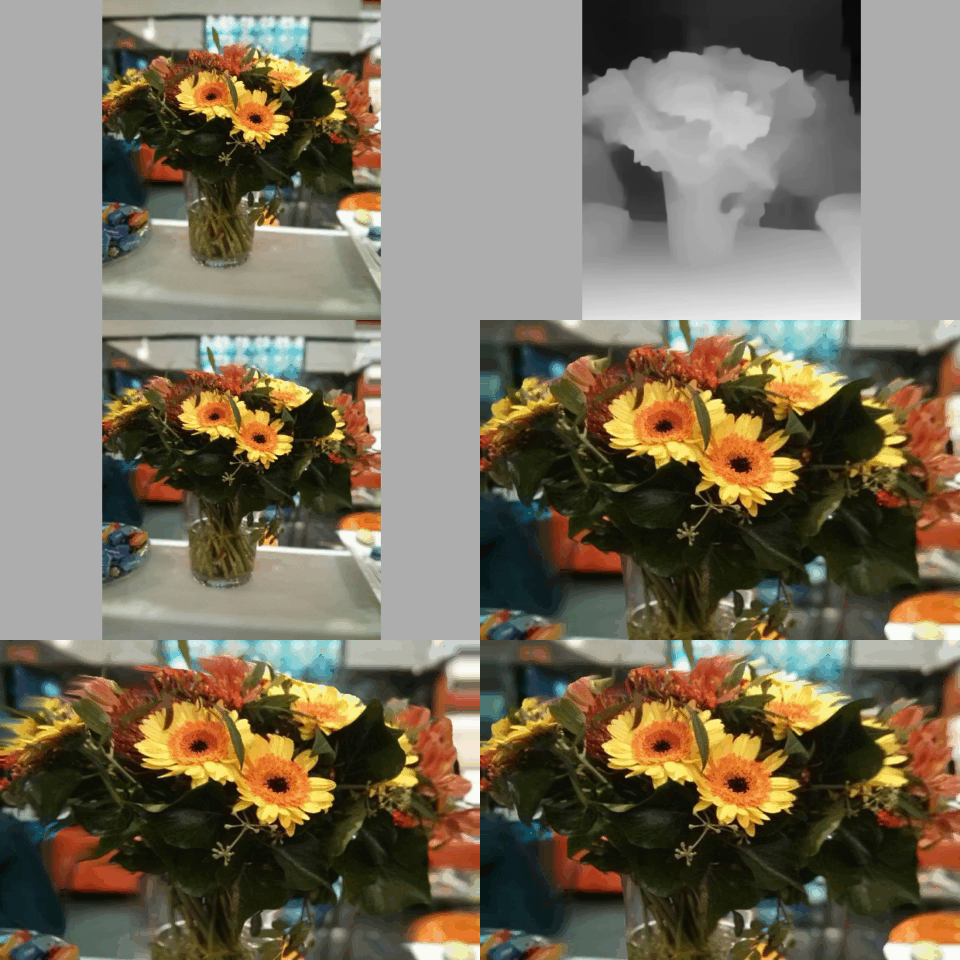
Note! In the depth-map the gray color gradation shows each pixel’s distance from the viewer. The lighter area in the depth-map corresponds to the areas nearer to the viewer, the darker one corresponds to the more distant areas. “Depth-map” can be created from one 2D image manually in any graphic editor. See how to draw depth map.

You may create simple depth-map for each level – this will make image more natural. The sample depth-map is shown below. We use original image, convert it in the gray scale and use brush tool to select objects which is closer to the viewer (the high precision is not needed).


Press right mouse button on the photo in the Layers list and select Load depth map command. Select the file with appropriate depth-map.

Step4. Generate 3D series.

    • Set Background and Foreground parallax (5-7%).
Note! To know how to work with Layers panel to get the significant results, please, go F1>>Layers window
  • Generate multiview series:
    • Go to Layers>>Generate multiview stereo (Alt+G)
    • Select the number of frames to generate (at least 12)
    • Press Generate button

Result: You’ll get the series of images for making lenticular 3D picture.

Step 5. Preview.

  • Press Play button on Navigation Panel.


Congratulations! Your 3D Card is ready to print now. You can save the result as .GIF or .AVI file with needed size.

Step 6. Making Lenticular 3D.

  • To get a 3D lenticular image (photo with 3D effect one can see without glasses) go to the Lenticular tab specify parameters of your lenticular material and press Generate button. You will get an encoded image, which you can print and laminate.


To know how to work with Lenticular images – see this video.

Download free festive templates to create a wonderful 3D prints!
Comments ( 0 )

Triaxes released new 64-bit 3DMasterKit 6.0

New 64-bit 3DMasterKit 6.0 Tester’s feedbacks:

“All the technical issues, I met during the beta testing, were fixed so promptly (thanx to Triaxes team). Now software shows a great performance!”
“I’m very pleased with the first results of 3DMasterkit 6.0 64-bit. I’m just starting my business in lenticular photography, but I think there is a good market for it.”

What’s new?

3DMasterKit becomes more efficient due to general renovation of internal algorithms. The number of updates such as algorithms for lenticular encoding and image interpolation were improved. 3DMasterKit structure was modified to fit 64-bit operating system.

Impressive results

1. Encoding quality is significantly higher.
2. 3DMasterKit 6.0 successfully supports the large amount of high resolution source frames.
3. 3DMasterKit 6.0 generates high resolution lenticular images without any file size limits.

Pricing strategy

1. Everyone who purchased 3DMasterKit during the year gets 64-bit version for free.
2. 10% of full 3DMK price for upgrade to 64-bit version for those who purchased it more than a year ago.
3. Unique chance to purchase our products with New Year discount of 30% (till the middle of January).

Note that 3DMK 6.0 package includes 32 bit and 64 bit versions. To run 3DMK 64 bit install Windows 64 bit (XP or 7), but check if your PC supports it before installation.

Use it to create a wonderful 3D prints for your clients, friends and family for Christmas and NY!
Comments ( 10 )

3DMasterKit 6.0 beta version now available for testing

Triaxes is happy to share new 64 bit 3DMasterKit beta version with 3D enthusiasts.

Generate high resolution lenticular images without any file size limitation!

To try it download beta version of new 64 bit 3DMasterKit.

We appreciate your feedback to make new 3DMasterKit fit your high expectations.

Just contact us or post a comment below!

Moreover your ideas and suggestions could motivate us to grant you a discount for new 3DMK:)

Comments ( 0 )